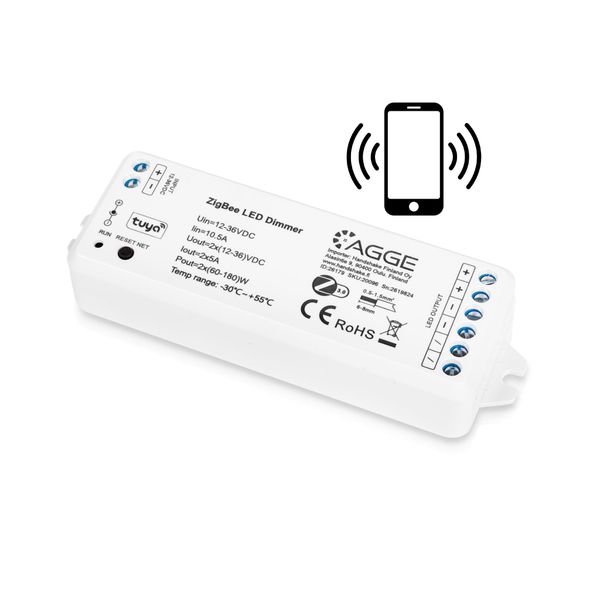
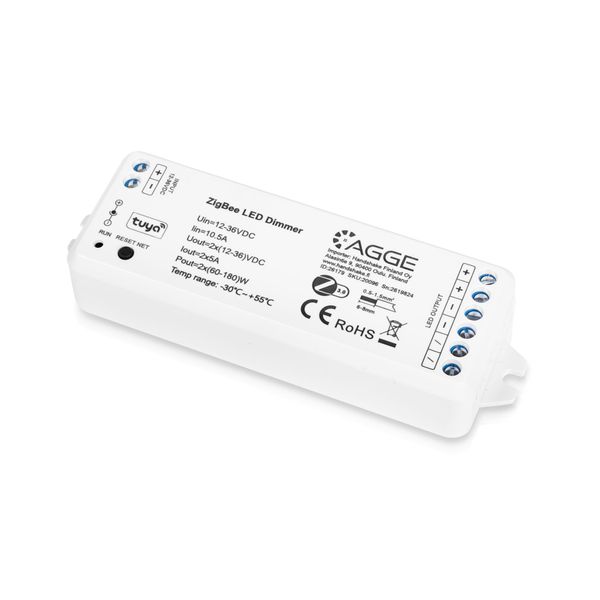
LED strip mobile controller AGGE Single Color Zigbee Controller
A smart control unit for single-color LED strips that allows you to connect the strip to the Philips Hue smart lighting system and thus also control it via the Philips Hue mobile app. Suitable for all single-color LED strips operating at 12-36V.
Select option:
Product ratings
5.0
number of ratings 3- Helppo liittää olemassa olevaan Zigbee-verkkoon.Juha-pekka R 26.8.2026

0
0
- Virker som skal, alsidig driver med gode tilslutningsmuligheder. Bruger den i et zigbee-setup med ældre Philips Hue Hub.Mads tilst C 24.8.2026

0
0
- Utrolig fornøydAhmet Y 22.10.2025

0
0
Product Faq
A smart control unit for single-color LED strips that allows you to connect the strip to the Philips Hue smart lighting system and thus also control it via the Philips Hue mobile app. Suitable for all single-color LED strips operating at 12-36V.
AGGE Single Color Zigbee Controller is a control unit for single-color LED strips that allows remote control of the light strip using a mobile application installed on the phone. The controller is installed between the light strip and the transformer/power supply so that the power supply is connected to the INPUT connectors of the controller and the light strip to the OUTPUT connectors. After this, the control unit can be connected to any controller that uses the Zigbee communication protocol, such as the Philips Hue Bridge, which in turn allows easy control of the light strip using the Philips Hue phone application. Through the application, the lights can be turned on and off, dimmed and brightened, and pre-selected lighting settings can be defined for them, and much more. Lights connected to the Philips Hue Bridge can also be controlled with simple voice commands using Amazon Alexa, Google Assistant or Siri, so controlling the light strip is really easy! The Philips Hue application is available for download from the App Store and Google Play.
The Zigbee protocol provides a reliable and energy-efficient wireless connection that enables communication between devices even when they are not directly connected to the Bridge or other similar command center. This means that not all lights need to be installed close to the command center, but it is enough for another device connected to it to be at the end of the light strip signal. A max. 2x5A load can be connected behind one control unit and the controller's detection radius in an unobstructed area is 30 meters. The control unit has built-in protection mechanisms against overheating, overload, short circuits and reverse polarization. Intended for dry indoor areas (IP20). Two-year (24 months) warranty!
Note! From the product options, you can choose either just the control unit or a complete set that includes the control unit as well as the Philips Hue Bridge, which allows you to control the light strip with your phone.
This controller is designed to work with the single-color dimmable LED strips listed below. Explore our selection and find the LED strip that suits your needs:
If you want to control the strip with a wireless remote, choose this controller. If you want to use both a phone and a remote, choose this combination controller.
Specifications 
- Product: AGGE Single Color Zigbee Controller
- Purpose: Controlling LED strip functions with a smartphone
- Operating voltage: 12-36V
- Maximum load: 60W (12V), 120W (24V), 180W (36V)
- Operating range: 30 m
- Compatible with single-color LED strips
- Uses Zigbee 3-0 communication protocol
- Dimensions: 114 x 38 x 20 mm (Width x Height x Depth)
- Operating temperature: -30°C - +55°C
- IP rating: IP20
- Approvals: CE, RoHS
- Control unit electrical number: 2619824
- Control unit SKU: 20096
- Warranty: 24 months
Quick Guide
About the transformer:
- If a driver/dimmer is used between the transformer and the strip (12V or 24V power), the transformer must be a normal (non-dimmable) model.
- If a wall dimmer is used, i.e. the dimmer is before the transformer (230V power), the transformer must be a dimmable model.
Install the LED strip in place. Install the transformer/power supply in place and make sure that the wires reach from the transformer to the strip. Connect the power supply to the INPUT connector on the controller and the light strip to the OUTPUT connector. Plug the transformer into a wall outlet or, for a fixed installation, connect it to the mains power
Connecting the receiver to the Philips HUE system: Download the Philips HUE app on your phone, install the Philips Hue Bridge in your home and activate the HUE control system. Press the RESET NET button on the Zigbee receiver quickly 5 times or turn the receiver off/on 5 times to clear the previous network connection. The Zigbee receiver will enter pairing mode when the lights connected behind it start flashing slowly. Then go to SETTINGS -> Lights -> + in the Philips HUE app and press "Search". The Zigbee receiver will appear in the app after a while, after which you can control it via the Philips HUE app.
You can find manufacturer's user manual by clicking here.