XBB Dongle connection when light power > 180W
How can the XBB Dongle and PowerUnit be connected when the light power is over 180W?
Product Faq
How can the XBB Dongle and PowerUnit be connected when the light power is over 180W?
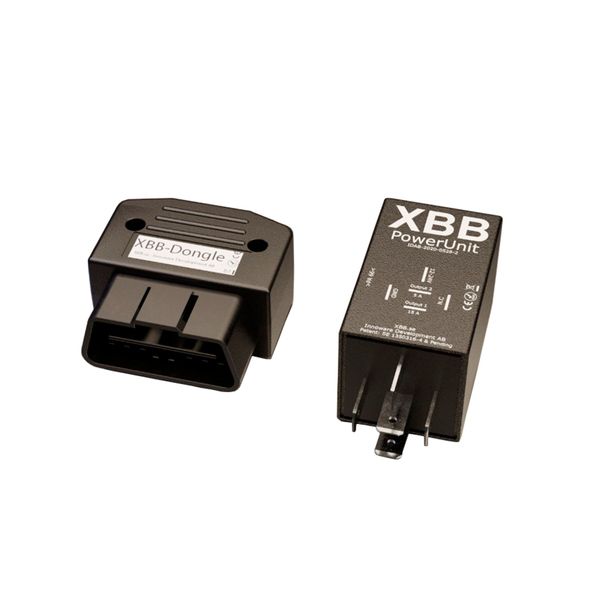
The XBB OBD Dongle & PowerUnit is an innovative relay + control device combination that can be triggered wirelessly from the CAN bus, which allows additional lights to be installed in most cars that have to be triggered from the CAN bus. The dongle enables very easy installation, and often the cumbersome connection to the CAN bus wires is no longer needed, but the stimulus can be grabbed from the car's OBD port. The only downside of the XBB Dongle is its limited output power: an additional light with a maximum power of 180W (15A @12V) can be directly connected to the relay. However, the problem is not like this, but with a small additional connection, the Dongle ("Smart relay") can be changed to control a traditional relay/relays, in which case the power of the lights is no longer a limiting factor.
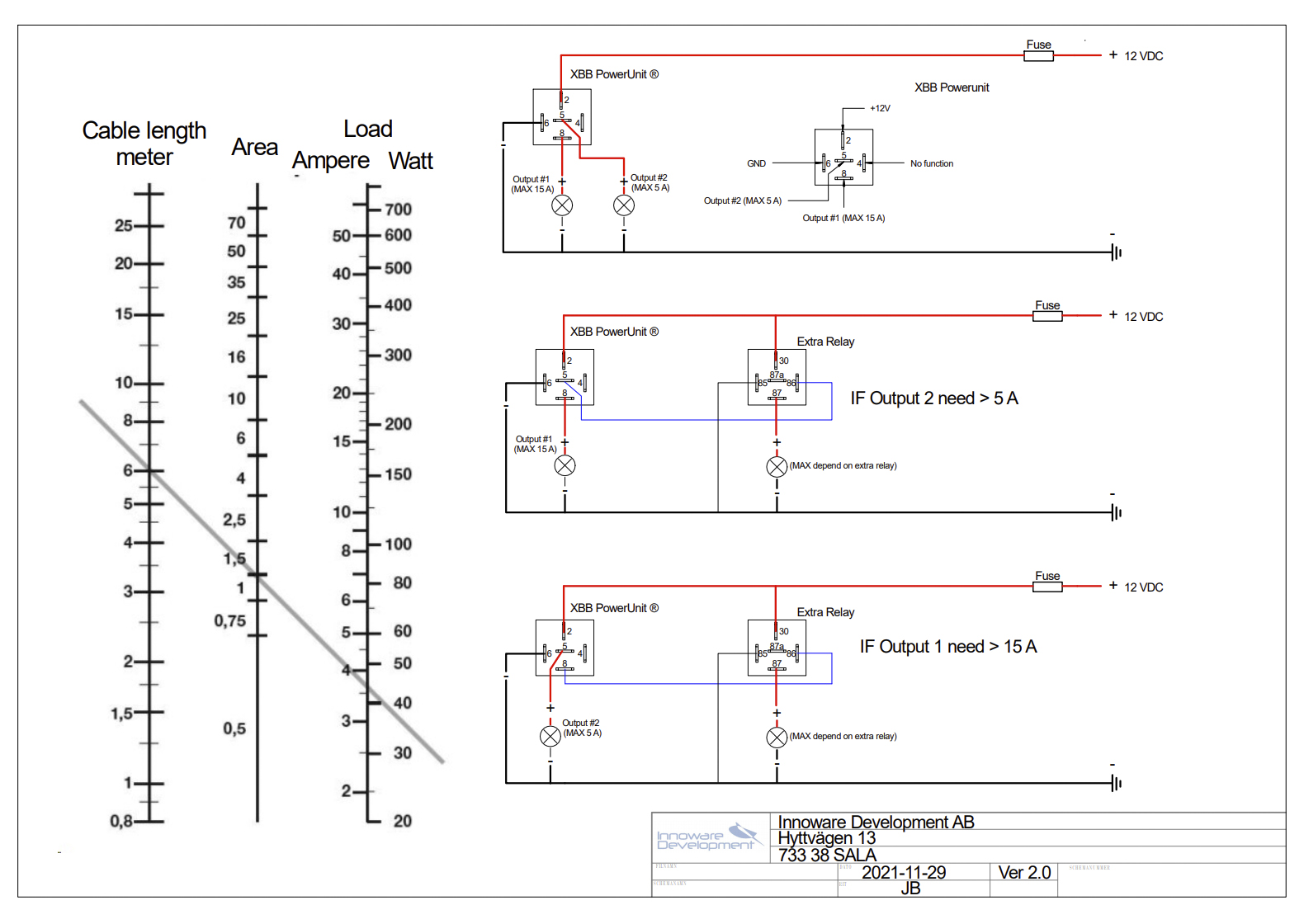
In practice, this happens in such a way that the current of the smart relay is controlled instead of the light as the excitation current of the traditional "stupid" relay, and this second relay is dimensioned according to the desired additional lights.
So how does the installation take place?
Below you can find the installation instructions with an explanation and a picture.
- Connect the power to the smart relay (PowerUnit) to pin 2 (marked "12-24V")
- Usually, power is obtained from the plus terminal of the battery or the fuse box.
- Connect ground to pin 6 (marked "GND") on the smart relay (PowerUnit)
- Grounding is recommended to be done on the vehicle frame.
- Take another relay wiring kit (e.g. Purelux DTP) or a traditional relay and connect it to power and ground, in the same place as the power and ground of the smart relay. Connect the excitation current wire of a traditional relay or relay wiring harness to the excitation wire coming from the smart relay (Pin 8)
- Connect the XBB Dongle to the car's OBD port
- Connect the additional light(s) to the connectors coming from the wiring harness.
- Install the app used to control the Dongle and enable the Dongle. Test the functionality of the lights.
In summary: The traditional wiring harness that comes with additional light sets is connected in exactly the same way as in other installations. The only difference is that the excitation current is connected to pin 8 of the PowerUnit instead of the car's own high beams, and in addition, the power and ground of the PowerUnit must be connected to the same place as the power and ground of the relay wiring harness. You need your own cables and connectors for these.