Remote controlled socket AGGE Zigbee Smart Plug, IP44
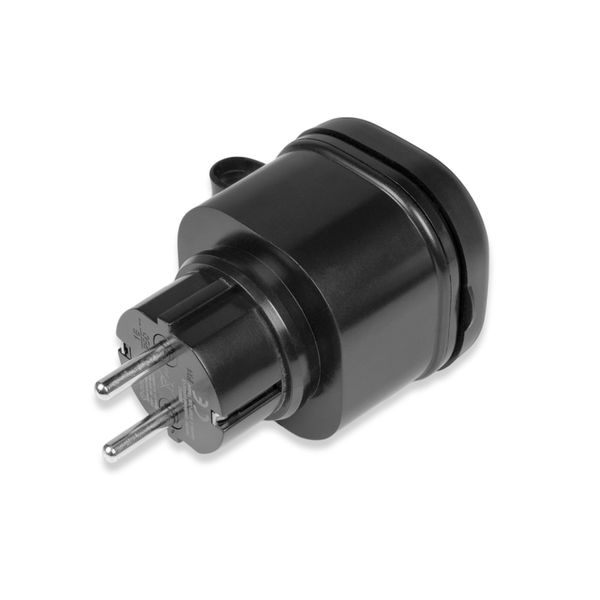
A smart socket using the Zigbee communication protocol that allows you to turn on and off regular lights or other electrical devices connected to it using the Philips Hue phone app or another app using the Zigbee communication protocol. Suitable for indoor and outdoor use (IP44). Maximum load 3680W.
Select option:
Product ratings
4.7
number of ratings 16- Helppo ottaa käyttöön ja tulee heti Philips Hue järjestelmää. Jostain syystä ei kuitenkaan siirry Apple Homeen. Hyvä tuote muuten.T P 24.8.2026

0
0
- Helppo asentaa ja liittyy hue bridgeenE S 19.3.2026
0
0
- Hyvin toimii Philips Hue järjestelmässä.A B 14.1.2026
0
0
- Hyvin toimi Philips Hue Bridgen kanssa. Ohjattiin parvekkeella olleita ulkovaloja.J K 10.1.2026
0
0
- Virker men skal initieres igen hvis strømmen slukkesOle B 23.12.2025

0
0
- Nem at bruge sammen med Philips Hue.Jan D 22.12.2025
0
0
- Hyvin näyttää toimivan Huen hubien kanssaJ K 13.12.2025
0
0
- Den fungerar bra tillsammans med min Philips Hue miljö.Lars U 5.12.2025

0
0
- Loistava tuote ulkokäyttöön! Terassin "tunnelmavalot" kytkettiin tähän pistorasiaan, ja älypistorasia liitettiin jo olemassa olevaan Huen siltaan ja n...H S 20.10.2025
0
0
Product Faq
A smart socket using the Zigbee communication protocol that allows you to turn on and off regular lights or other electrical devices connected to it using the Philips Hue phone app or another app using the Zigbee communication protocol. Suitable for indoor and outdoor use (IP44). Maximum load 3680W.
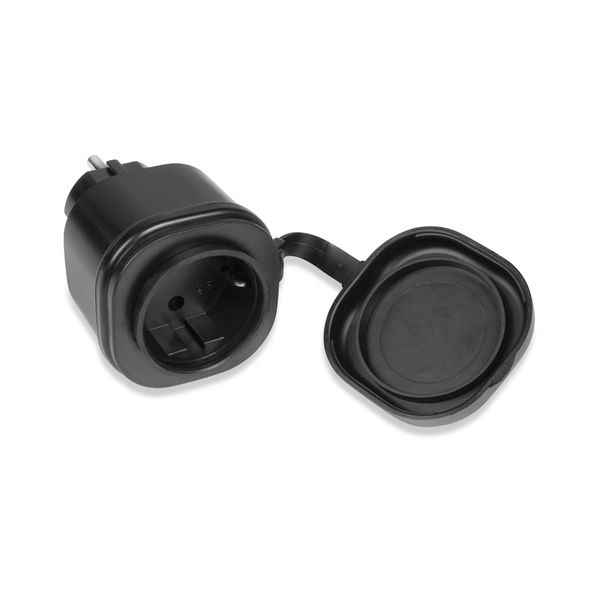
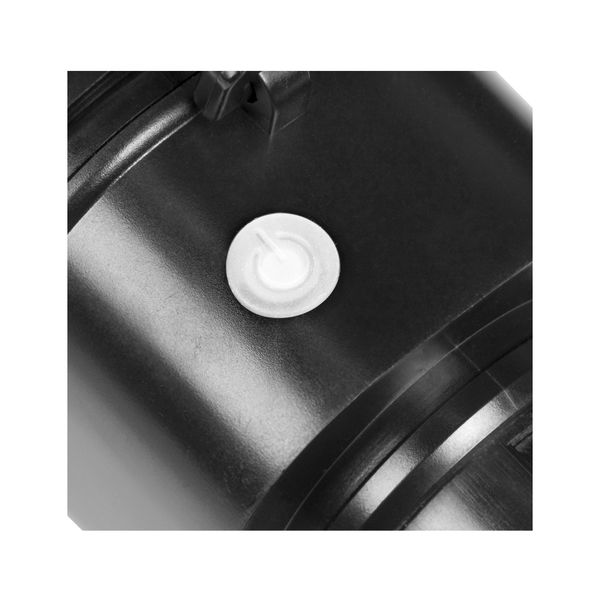
AGGE Zigbee Smart Plug is a smart socket that uses the Zigbee communication protocol, which allows you to remotely control ordinary mains-powered lights or other electrical devices, for example using the Philips Hue phone app. The AGGE smart socket is plugged into a regular socket, after which it can be connected to the Philips Hue Bridge command center, which in turn allows you to turn the socket on and off via the Philips Hue mobile app. This way, you can, for example, turn on the yard lights at work before leaving home, or turn on the car's heater on a frosty morning from the comfort of your own home while enjoying a cup of coffee. In addition to the Philips Hue app or another app that uses the Zigbee communication protocol, the socket can also be used manually by pressing the On/Off button on the side, so if you are standing next to the socket, you don't have to dig out your phone to turn it on or off.
AGGE Zigbee Smart Plug is protected against splash water according to IP44, so it can be used both indoors and outdoors. A maximum load of 3680W can be connected to one socket, so even more powerful LED strips or other electrical devices can be used without problems. In an open area, the socket has a detection range of 30 meters, so even if the Philips Hue Bridge is installed indoors, the socket can be connected to it (note, however, that there should not be too many obstacles between the command center and the socket, such as several walls, to ensure the connection). The smart socket allows the device connected to it to be turned on and off. One year (12 months) warranty!
Note! From this product page you can buy either just the socket or a complete set that includes the socket and the Philips Hue Bridge command center. If you already have a Bridge or other command unit that uses the Zigbee communication protocol, you can buy just the socket.
Delivery contents (Socket only)
- AGGE Zigbee Smart Plug
- Instructions for use (FI/EN/SE/NO/DK)
Delivery content (Socket + Philips Hue Bridge)
- AGGE Zigbee Smart Plug
- Control unit Philips Hue Bridge
- Instructions for use (FI/EN/SE/NO/DK)
Specifications 
- Product: AGGE Zigbee Smart Plug
- Purpose: For example, controlling regular garden lights with Philips Huella
- Operating voltage: 230V
- Maximum load: 3680 W
- Operating range: 30 m in open area
- Protocol: Zigbee 3.0
- Dimmable: No
- Operating temperature: -30°C - +35°C
- IP rating: IP44
- Protection class: I
- Electrical number 2409601, SKU 20586
- Warranty: 12 months
Quick Guide
Download the Philips Hue app on your phone, install the Philips Hue Bridge and set up your Philips Hue lighting control system. Plug the AGGE Zigbee Smart Plug into a standard wall socket and press and hold the On/Off button on the smart plug for more than 5 seconds, and release the button when the indicator light starts flashing quickly. In the Philips Hue app, go to SETTINGS > LIGHTS > + and press "Search". After a while, the Zigbee plug will appear in the search results, after which you can connect it to the app and control it via the app.