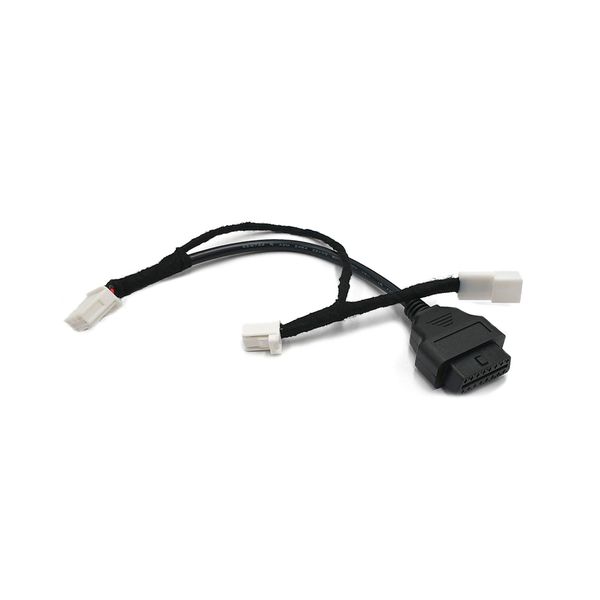
Adapter Tesla Model 3 Highland, OBD2 adapter
An adapter that allows you to add an OBD2 port to the Tesla Model 3 Highland.
Product ratings
3.5
number of ratings 8- Arrived very quickly, Fitted quickly and works perfectly. Recommended6 R 6.7.2026

0
0
- The video shown for this item is not valid. Only one OBD2 adapter can be fitted.Pierre V 13.7.2025

0
0
Valostore: Hello! Thank you for your feedback! The video on... - Framgår INTE att denna ingår i Tesla-paketet. Så jag fick 2 st. Kunde kanske ha ifrågasattsLars E 31.12.2025

0
0
Valostore: Hej Lars, och tack för ditt omdöme! På produktsi...
Product Faq
An adapter that allows you to add an OBD2 port to the Tesla Model 3 Highland.
OBD2 adapter suitable for Tesla Model 3 Highland, which can be used to add a missing OBD2 port to the car. The adapter is placed between the connectors on the A-pillar on the passenger side (see video on the product page). The adapter does not change the car's own wiring, it only enables reading of the data moving in them. This way, an OBD2 BT-Dongle or e.g. XBB Dongle can be connected to the car, which can be used to capture the activation data for various additional lights.
If you are interested in installing an additional light, see also the finished Tesla Model 3 auxiliary light package.
NOTE! You have to be very careful during the installation and make sure that the car is completely turned off before the installation. Switching off takes approx. 8-10 minutes, and it is very important to wait this time before disconnecting the connectors, so that all CAN buses, relays, etc. have also turned off. Valostore takes no responsibility if something goes wrong during the installation.
Specifications 
- Product: OBD2 adapter Tesla Model 3 Highland
- Purpose: Adding an OBD2 port to a Tesla Model 3 Highland
- Placed between the connectors on the passenger side of the A-pillar (see video)
Quick guide
We recommend disabling Sentry Mode in your vehicle either through the Tesla mobile app or the vehicle's touchscreen (Controls -> Security -> Sentry Mode = Off) before the next step. Turn off the vehicle's main power completely: Open the driver's door window completely, and close the driver's door. Open the front door of the vehicle fully so that you can plug in the OBD adapter after turning off the power. Turn off the main power by reaching out from the window on the vehicle's touchscreen by going to Controls -> Security -> Power Off, and wait outside the vehicle until the relay "clicks" after approximately 8-10 minutes. Make sure there is no more humming noise from the vehicle before moving on to the next step.
Open the rubber seal and remove the protective cover located next to the glove compartment. Then remove one of the clips and lift off the plastic cover. This will reveal an empty connector and also a wire with a connector in between. Remove the connector and place the OBD2 adapter between the connectors and in the empty connector. Make sure that all connections are properly connected. Close the cover.
Tip: It is a good idea to bring the OBD2 port by the cable, e.g. under the housing to the footwell, so that you do not always have to open the cover separately if you want to connect something to the OBD port.