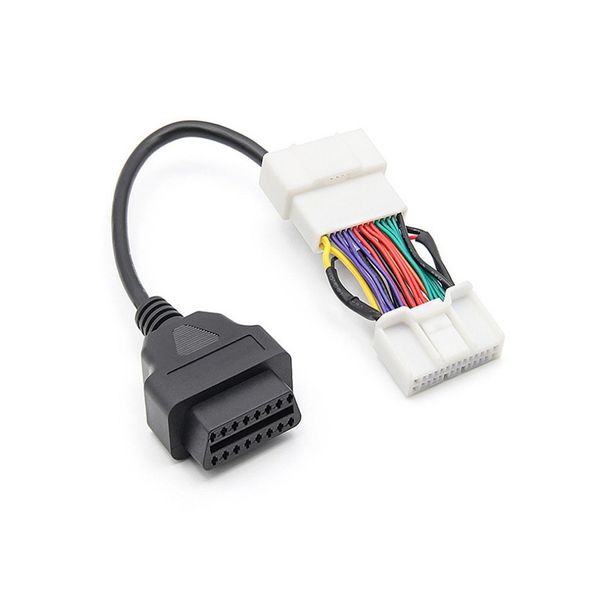
Adapter Tesla Model 3 and Model Y OBD2 adapter
An adapter that allows you to add an OBD2 port to Tesla Model 3 and Model Y models. Compatible with cars manufactured after 1/2019.
Product ratings
5.0
number of ratings 8- Tekee mitä piti.Jussi kristian N 15.9.2026

0
0
- Virker perfekt. Kan nu tilslutte min obd2 tester. 5⭐️⭐️⭐️⭐️⭐️Sami L 27.4.2026

0
0
- Ser mycket bättre nut än på bild, positivt överraskad. Fungerar som den ska dessutom.David W 25.12.2023

1
0
Product Faq
An adapter that allows you to add an OBD2 port to Tesla Model 3 and Model Y models. Compatible with cars manufactured after 1/2019.
An OBD2 adapter suitable for Tesla Model 3 and Model Y, which can be used to add an OBD2 port to cars that they lack. The adapter is placed between the connectors inside the center console (below in the rear footwell, under the small cover). The adapter does not change the car's own wiring, it only enables the reading of the data moving in them. In this way, an OBD2 BT-Dongle or e.g. XBB Dongle can be connected to the car, which can be used to capture the trigger data for various additional lights.
NOTE! Not suitable for Tesla Model Y Juniper (02/2025 -->).
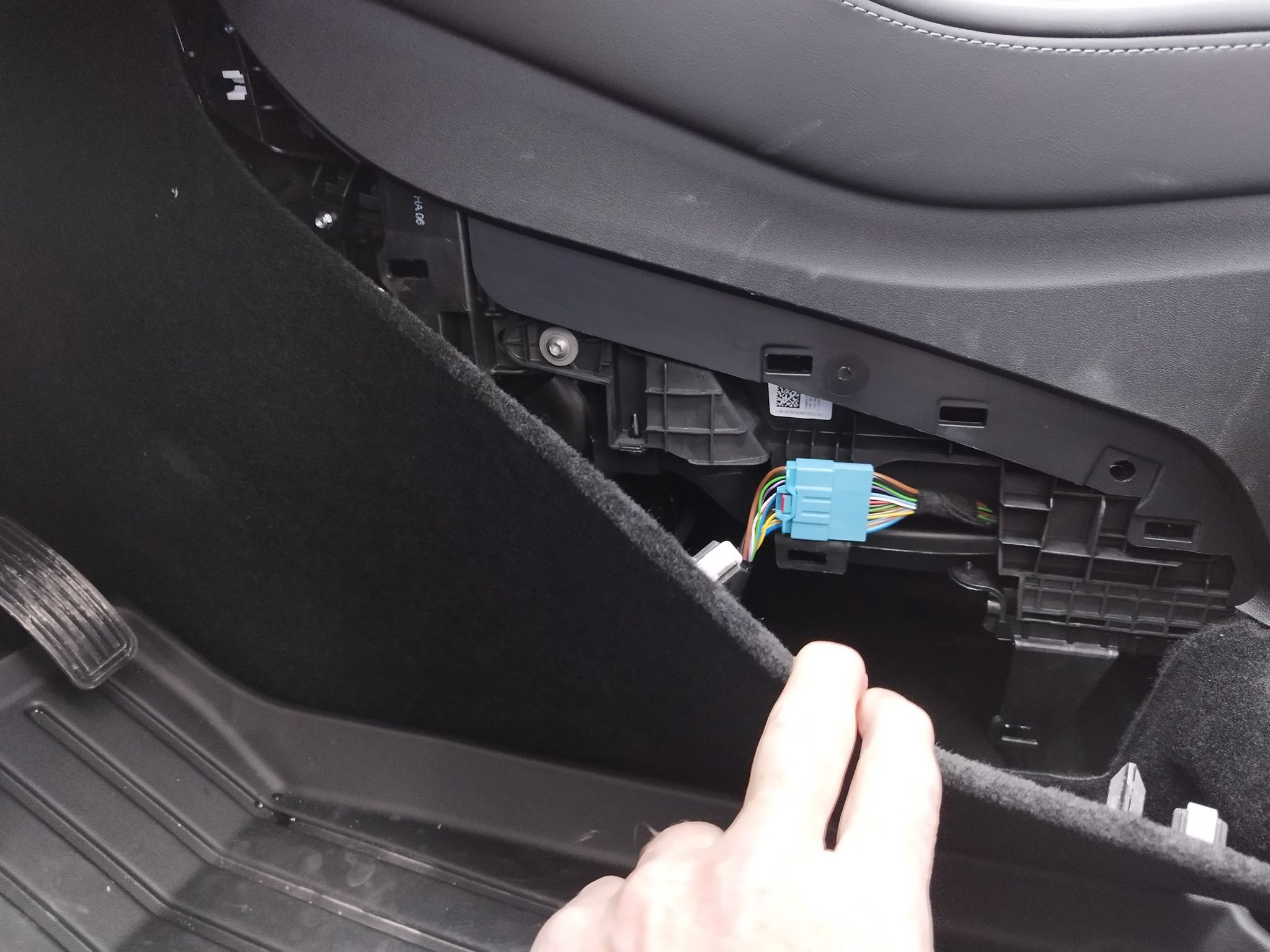
NOTE! In the new 2024 --> model year car, the adapter is installed in the connector behind the panel on the right side of the driver's footwell.
If you are interested in installing an additional light, see also the finished Tesla Model 3 additional light package .
NOTE! You have to be very careful during the installation and make sure that the car is completely turned off before the installation. The shutdown takes approx. 8-10 minutes, and it is very important to wait this time before disconnecting the connectors, so that all the CAN buses, relays, etc. have also turned off. Valostore takes no responsibility if something goes wrong during the installation.
Technical information 
- Product: OBD2 adapter Tesla Model 3 and Model Y (1/2019-2024)
- Purpose: Adding an OBD2 port to Tesla Model 3 and Model Y
- Placed on the back of the center console, between the connectors located in the rear footwell
Quick guide
We recommend disabling the car's Sentry Mode either via the Tesla mobile app or the car's touch screen (Controls -> Security -> Sentry Mode = Off) before the next step. Switch off the car's main power completely: Open the driver's door window fully open, and close the driver's door. Open the back door of the car so that you can plug in the OBD adapter after turning off the power. Turn off the main power through the window, reaching from the car's touch screen by going to Controls -> Security -> Power Off, and wait outside the car until the relay "clicks" in about 8-10 minutes. Also make sure that there is no more humming from the car before proceeding to the next step.
Remove the protective cover located in the rear footwell (the cover is closed with a total of 5 clips, which come off by carefully pulling/slitting the hatch). This exposes the wiring harness and the connector between them. Disconnect the connector, and place the OBD2 adapter between the connectors. Make sure that all the connections close properly. Close the lid.
Tip: You should bring the OBD2 port with a cable, e.g. under the case in the rear footwell or under the front seats, so that you don't always have to open the cover separately if you want to connect something to the OBD port.
NOTE! In the 2024 and newer Model 3, the OBD adapter is installed in the driver's footwell, in the socket located by the right foot (see image below).