LED strip remote control AGGE Dimming Wall Mount Touch Panel 4-zones, RF 2.4 GHz
A modern remote control for single-color LED strips that allows you to adjust the brightness of one or more light strips and create and manage room-specific light groups together or separately. Operates on a 2.4 GHz radio frequency and can be paired with any control unit operating on the same frequency. IP20 rating.
Select option:
Product Faq
A modern remote control for single-color LED strips that allows you to adjust the brightness of one or more light strips and create and manage room-specific light groups together or separately. Operates on a 2.4 GHz radio frequency and can be paired with any control unit operating on the same frequency. IP20 rating.
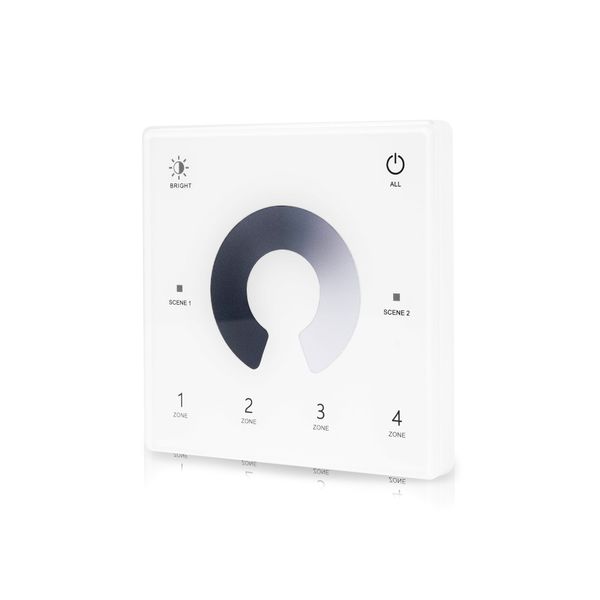
AGGE Wall Mount Touch Panel is a modern remote control for single-color light strips. The controller has an On/Off button for the light strip, a switch that allows stepless adjustment of the light output, and separate zone buttons (Zone), which allow you to control different light strips or groups of light strips either together or separately. By linking, for example, the kitchen plinth lights behind the "Zone 1" button and the intermediate space lights behind the "Zone 2" button, only some of the lights in the room can be turned on or off. The zone buttons can also currently be used to control all the LED strips in the home by installing the lights in different rooms behind different buttons, which means you don't need multiple remote controls to control different lights. In addition, the remote control has two Scene buttons, behind which certain light settings can be saved so that when the button is pressed, the light output and color temperature of the LED strip always change according to the settings (e.g. for the morning, bright and eye-catching lights can be installed behind the button, while for the evening, a warm color temperature simulating a sunset and moderate light output can be installed).
The remote control operates on a 2.4 GHz radio frequency and can be paired with any LED strip control unit that operates on the same frequency. Together with the control unit, the remote control enables easy and effortless control of the light strip, which means that in order for the remote control to work, it always needs a control unit connected to the light strip as a companion. Several control units can also be connected to the same remote control, which makes it possible to operate all the LED strips in the home with the same remote control. In an obstacle-free environment, the operating range of the remote control is approx. 30 meters, which means that it allows remote control of the light strip even from across the room.
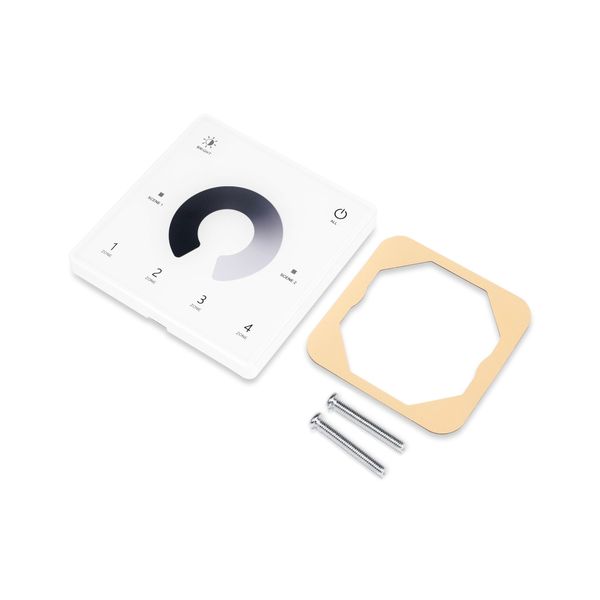
The remote control can be screwed or taped to a wall or other flat surface using the included mounting screws or double-sided tape. Of course, it can also be placed on a table, sofa, shelf or practically any surface, meaning that the remote control can always be placed in the place that suits you best. The front of the remote control has a very durable and touch-sensitive special glass, which both protects the remote control and gives it a stylish appearance. The remote control operates on one CR2032 battery (included), which provides the controller with an operating time of up to approx. 1 year at a time, meaning you don't have to constantly change the battery. The remote control is intended for dry indoor use (IP20). Two-year (24-month) warranty!
Note! To work, the remote control needs a companion LED strip control unit. From the product options, you can choose either just the remote control or a complete set that includes both the remote control and the AGGE Single color Controller control unit.
To control the LED strip with your phone as well as the remote, use the AGGE 5-in-1 Color phone controller.
This remote control is designed to work with the single-color dimmable LED strips listed below. Explore our selection and find the LED strip that suits your needs:
- Led strip AGGE 24V - 8W/m / IP20
- Led strip AGGE 24V - 10W/m / IP20
- Led strip AGGE 24V - 15W/m / IP20
- LED strip AGGE 24V - 8W/m / IP65
- LED strip AGGE 24V - 10W/m / IP65
- LED strip AGGE 24V - 15W/m / IP65
- LED strip AGGE 12V - 10W/m / IP65
Delivery content
- AGGE Wall Mount Touch Panel
- 1 x CR2032 battery
- Mounting screws
- Mounting sticker
- Instructions for use (FI/EN/SE/NO/DK)
Specifications 
- Product: AGGE Wall Mount Touch Panel
- Purpose: Remote control of LED strip
- Compatible with single-color light strips
- Operates on 2.4 GHz radio frequency
- Battery: 1 x CR2032 (included)
- Battery life: approx. 12 months
- Operating range: approx. 30 m
- IP rating: IP20
- Dimensions: 86 x 86 x 9.5 mm (Width x Height x Depth)
- Other: The package includes mounting screws and a mounting sticker.
- Remote control electrical number: 2619812
- Remote control SKU: 20084
- Warranty: 24 months
Quick Guide
Getting started: Open the remote control battery compartment and remove the insulating plastic between the battery and the remote control.
Pairing: Press the Match button on the receiver/control unit briefly and immediately press the desired Zone button (1, 2, 3 or 4) on the remote control briefly. The receiver LED will flash a few times to indicate successful pairing. Pair all the light strips behind the same Zone that you want to control simultaneously.
Unpairing: Press and hold the Match button on the receiver for about 5 seconds, the receiver's indicator light will flash a few times to indicate that the pairing has been unpaired.
Using the remote control:
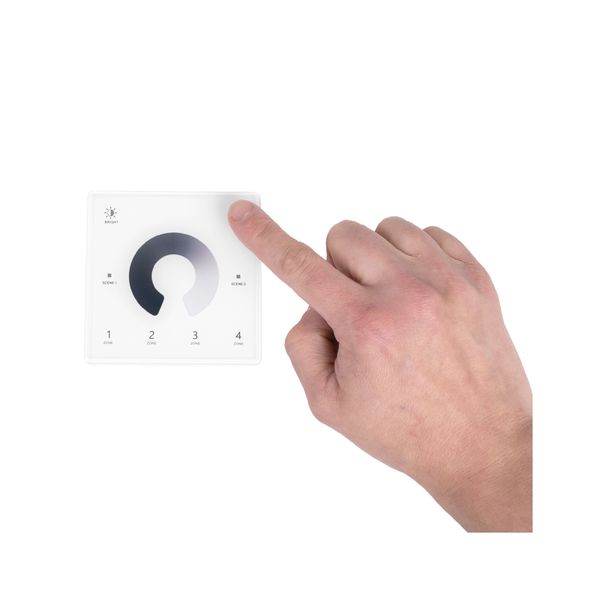
- On/Off: Press the power button on the top right of the remote control once to turn on or off all LED strips connected to the remote control.
- Adjusting the light intensity: The light intensity can be adjusted either by pressing the Bright button in the upper left corner of the remote control (in 10 steps) or by sliding your finger along the sliding touch switch in the center of the controller (stepless adjustment).
- Scene modes: Save the lighting settings on the light strip by pressing and holding either Scene button for 5 seconds, after which you can always access those settings by tapping the respective Scene button.
- Using zones : The bottom of the remote control has zones 1, 2, 3 and 4. Press any number once to turn on the light strips mounted behind it. Control multiple zones simultaneously by tapping each desired number in quick succession. To turn off the lights in a zone, press and hold the number button for that zone for approx. 2 seconds.
Note: An unlimited number of control units can be connected to one remote control, and 10 remote controls can be connected to one control unit.
You can find manufacturer's user manual by clicking here.